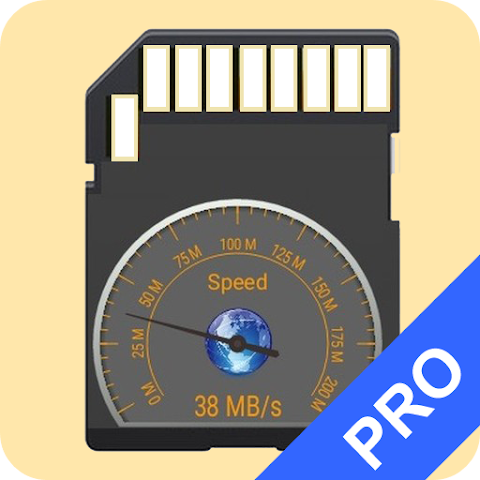


SD Card Test Pro is a powerful Android tool that helps you test, analyze, and verify the performance and integrity of your storage devices, including external SD cards and internal built-in storage. Whether you’re using a Micro SD, SDHC, or SDXC card, or checking your phone’s internal eMMC/UFS storage, this app provides detailed speed measurements and file system information so you can know exactly how your storage device is performing. With read/write benchmarks, data verification, detailed storage information, and customizable test settings, SD Card Test Pro makes it easy and accurate to diagnose slow or corrupted memory cards. Users can identify the storage device category, check free and total space, view connection options, and generate reports to quickly share the results, making it an essential tool for anyone who works with storage devices, tests performance, or wants to verify the authenticity and reliability of a memory card.
REAL STORAGE SPEED AND PERFORMANCE TEST
SD Card Test Pro is designed to provide accurate reading and writing speed measurements for external SD cards and internal mobile storage, delivering reliable results even in complex storage configurations. The app runs customizable benchmarks that process large amounts of data to produce meaningful speed numbers, not just short bursts, helping you distinguish true performance from exaggerated ratings. Whether you’re comparing Class 10 cards to UHS-II cards, checking if your internal storage is meeting your expectations, or simply want to validate a newly purchased SD card, this tool provides detailed statistics and ratings based on real-world tests. With real-time speed graphs and visual dashboards that summarize the results, you can easily understand how your storage is performing under different conditions and optimize your device accordingly.
- The app measures read and write speeds using multiple read/write combinations, so you get an accurate picture of your real-world memory performance.
- It identifies and categorizes memory cards based on their speed results into standards such as Class 10, UHS-I, UHS-II, and UHS-III, helping you choose the right hardware.
- With a visual dashboard and real-time graphs, the app shows you the current and average speed results throughout the test, so you can understand performance at a glance.
DATA VERIFICATION AND ERROR DETECTION
In addition to simple speed tests, SD Card Test Pro offers data verification technology that checks whether your storage devices are working properly, not fake or damaged. During the verification process, the app writes random data to the disk, calculates a hash of that data, compares it after reading, and indicates whether the card is storing and retrieving data correctly. This professional-grade feature prevents you from losing important files to bad media and ensures that your memory cards are safe before long-term use or backup. Supporting many common file systems such as ext4, exFAT, and FAT/FAT32, this app is a complete solution for both casual users and technicians who need a reliable storage testing tool.
- Using data verification technology, the app compares hashes of written and re-read data to ensure that your memory card is not a fake.
- The verification process helps identify damaged or unreliable storage before it leads to file loss or data corruption.
- Supporting popular file systems such as ext4, exFAT, and FAT/FAT32, this app allows you to test a variety of real-world storage configurations.
DETAILED STORAGE INFORMATION AND CUSTOMIZED DIAGNOSTICS
In addition to performance testing, SD Card Test Pro provides comprehensive storage information to help you understand the characteristics and limitations of your storage. This includes total and free space, mount options, and device names, which are useful for diagnosing problems or planning upgrades. Advanced users can also customize test parameters such as file size and number of files used during the test, allowing them to customize benchmarks for specific use cases, such as large media card tests or internal flash tests. These features make the app attractive to both casual Android users and professionals who need to gain a deeper understanding and control of memory analysis and diagnostics without the need for a computer or specialized hardware.
- The app displays total space, free space, mount options, and device name, so you can see your storage setup in full.
- Custom benchmark settings let you set file sizes and file counts, giving you flexibility for custom test scenarios.
- Storage details help you plan upgrades or troubleshoot space issues based on specific statistics.