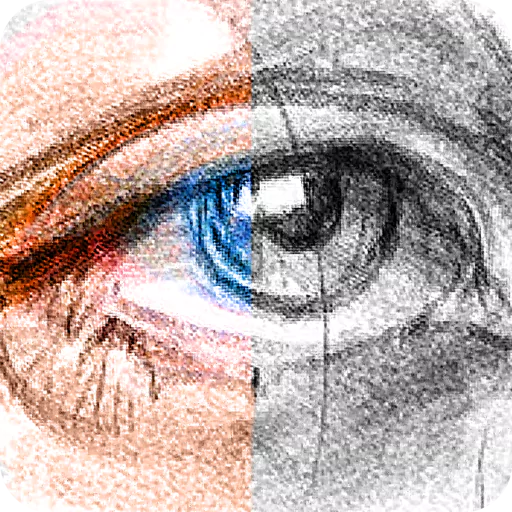
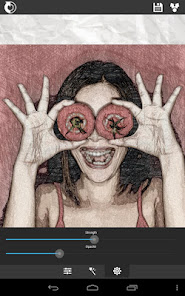
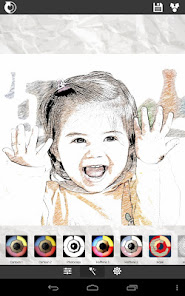
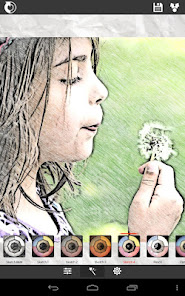
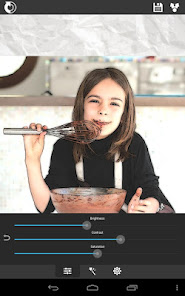
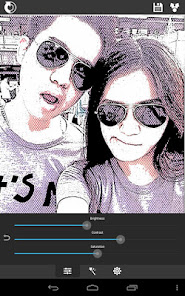
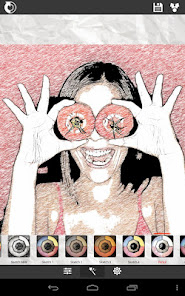
Sketch Me! Pro is a versatile photo editing application that transforms your photos into artistic sketches, cartoons, and paintings with just one click. This paid, ad-free version of the popular XnSketch application, developed by XnView, provides users with a wide range of effects, including black lines, pastel sketches, and color changes. The application allows users to adjust parameters such as edge strength, opacity, contrast, brightness, and saturation to create the desired artistic effect. With a user-friendly interface, you can easily navigate through your photos and apply effects seamlessly.
FEATURES OF SKETCH ME! PRO APK
VARIOUS ARTISTIC EFFECTS
One of the standout features of Sketch Me! Pro is its wide range of artistic effects. Users can choose from a variety of styles, including black lines, white lines, pastel sketches, pencil drawings, color sketches, cartoon effects, and more. This versatility allows users to experiment creatively with their images and find the perfect style that suits their artistic vision. The ability to apply these effects with a single click simplifies the process and makes it accessible to users of all skill levels.
CUSTOMIZABLE PARAMETERS
Sketch Me! Pro goes beyond basic filters by offering customizable parameters for each effect. Users can adjust the edge strength and opacity to create the desired look for their image. In addition, the program allows you to fine-tune other image settings, such as contrast, brightness, and saturation. This level of control allows users to create unique artworks that match their preferences and improve the overall quality of the final image.
USER-FRIENDLY INTERFACE
The app is designed with the user experience in mind and features an intuitive interface that makes it easy to navigate. Users can easily move images around the screen using pinch gestures, zoom in and out. This simplicity allows even those with no prior knowledge of image editing to quickly learn how to use the app effectively. Split-screen mode allows users to view both the original image and the sketch at the same time, making it easy to compare and adjust.
EASY SHARING OPTIONS
Once users have created their artwork, Sketch Me! Pro makes it easy to share their creations with friends and family. The app supports sharing via popular social media platforms such as Facebook and Twitter, as well as email. This seamless sharing capability encourages users to showcase their artwork without any hassle and allows them to connect with others through their creative output.
NO REGISTRATION REQUIRED
Unlike many other apps that require user registration or subscription, Sketch Me! Pro allows users to dive right into their art without any hassle. This feature is especially appealing to those who prefer not to deal with account settings or privacy issues related to the collection of personal information. Users can enjoy an ad-free experience while creating their artwork without any interruptions or restrictions.
HIGH-QUALITY OUTPUT WITHOUT WATERMARKS
Draw Me! Pro stands out by offering high-quality output without watermarks on the final image. This is especially important for users who want to professionally print, display, and share their work online without distracting from their brand. The absence of a watermark demonstrates the app’s commitment to creating a superior experience for its users.