
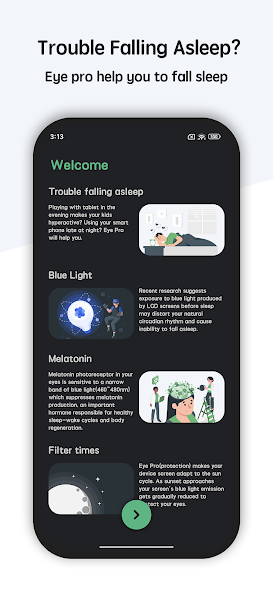


Eye Pro – Blue Light Filter & Night Mode is an advanced Android app designed to protect your eyes from eye strain caused by prolonged screen time. With a customizable blue light filter, customizable screen color settings, and an automatic schedule, Eye Pro helps reduce eye strain, headaches, and sleep disturbances caused by exposure to bright screen light – especially in low light or at night.
The app offers easy controls to adjust the filter strength, color temperature, brightness level, and screen contrast, creating a personalized experience that suits your visual preferences. Whether you’re reading, working, gaming, or browsing the web at night, Eye Pro creates a comfortable viewing environment that reduces strain and increases eye comfort. Its simple interface, lightweight performance, and adaptive modes make it a smart choice for users who value long-term eye health and healthy screen habits.
ENHANCED BLUE LIGHT FILTER AND NIGHT PROTECTION
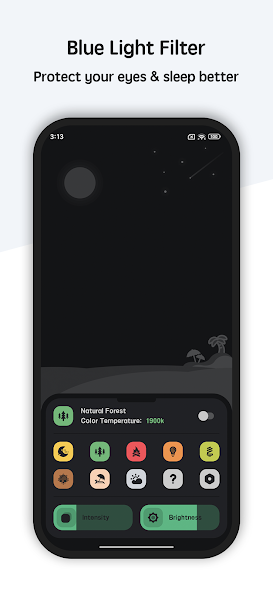
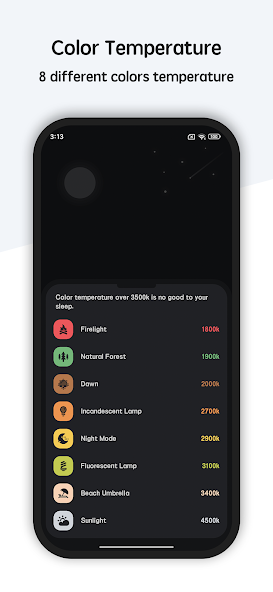
Eye Pro’s key feature is its advanced blue light filter system, designed to reduce the amount of high-energy visible (HEV) blue light emitted from your device’s screen. Excessive exposure to blue light, especially at night, can cause eye strain, disrupt sleep patterns, and lead to visual fatigue. This feature allows users to fine-tune the filter intensity and color temperature, so you can find the perfect balance between screen clarity and eye comfort. At low temperatures, warm colors create a soothing display that’s perfect for reading or viewing at night. At high intensity, deeper filtering helps combat eye fatigue during long work hours or when using apps for extended periods of time. Eye Pro also includes preset modes such as Night, Reading, and Custom, which allow you to quickly switch between modes based on your lighting and activity. With real-time previews and live filter application, this feature ensures that your screen is always easier on the eyes, day or night.
- Adjustable blue light intensity allows you to adjust the filter to your comfort level at any time.
- Multi-color temperature previews make it easy to view at night without compromising your vision.
- Real-time previews show you how changes will affect your screen before you apply the filter.
SMART SCHEDULE AND AUTOMATIC DISPLAY MODES
Eye Pro improves eye comfort by offering smart scheduling and automatic mode switching based on the time of day or your preferences. You can set the start and end times for night mode, so that the blue light filter automatically activates at dusk and fades back in the morning – without having to manually enter it. This makes Eye Pro ideal for users with a fixed schedule who want eye-friendly lighting without constant adjustments. In addition to time-based scheduling, the app supports adaptive brightness and filter settings based on ambient light conditions (on supported devices), helping to keep your screen comfortable in bright or dim environments. Whether you’re focused on productivity, relaxation, or sleep hygiene, this feature helps maintain eye comfort throughout your daily digital interactions.
- Schedule the night filter to automatically activate based on a custom time to consistently protect your eyes.
- Adaptive filter behavior helps adjust your screen settings to the ambient light level.
- Easy mode switching allows you to quickly change between preset viewing conditions, such as Reading or Night.
CUSTOMIZATION, CONTROL, AND VISUAL COMFORT TOOLS
Eye Pro goes beyond basic screen filters by offering a suite of customization and visual comfort tools that allow users to customize their experience. You can adjust the brightness, fine-tune the contrast, and choose from a range of filter colors to suit different lighting environments or personal preferences without affecting system settings. The app also supports quick toggles and widget controls, so you can enable or disable filters directly without opening the full settings. For users who want a minimal user interface or want low battery consumption, Eye Pro’s lightweight design ensures smooth operation while reducing eye fatigue. Whether you’re reading an e-book at night, working on a document under bright lights, or scrolling through social media in low light, these tools will help you create a comfortable viewing experience that suits your habits and needs.
- Brightness and contrast adjustments help optimize your screen display without changing system brightness.
- Widget and quick on/off support provide direct control from your home screen.
- Color filters and modes allow you to adjust visual comfort for different tasks and lighting conditions.