


AppLock is a powerful privacy tool designed to protect apps, files, and confidential information on Android devices. It allows users to lock apps using a PIN, pattern, or fingerprint, providing reliable protection against unauthorized access. The app includes advanced features such as intruder detection, which takes a photo of anyone who tries to bypass the lock with incorrect credentials. In addition, AppLock offers a fake crash screen feature to trick hackers and supports locking system apps, social media apps, payment platforms, and private galleries.
Users can hide files such as photos, videos, and documents in a secure vault that can only be accessed through the app. With options to automatically unlock based on time or network connection and prevent deletion without proper confirmation, AppLock combines security and convenience. Its intuitive interface and customizable settings make it an essential tool for protecting personal information and maintaining privacy.
FEATURES OF APPLOCK APK
LOCK APPS AND ACTIONS
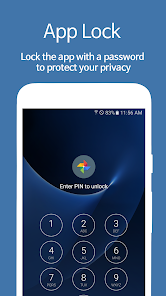
AppLock’s main function is to protect individual apps and specific actions on Android devices. In addition to locking apps like WhatsApp, Facebook, Instagram, and Gmail, users can also lock system features like calls, messages, settings, and even access to the Google Play Store. This prevents unauthorized people from accessing confidential information or making changes to your device’s settings. The app uses a PIN code, pattern lock, or biometric authentication (fingerprint or face recognition) for additional security.
In addition, AppLock prevents unauthorized installation and removal of apps. This feature is especially useful for parents who want to limit app downloads for their children, or for professionals who need to protect work-related apps from interference.
PHOTO AND VIDEO STORAGE
AppLock has a dedicated storage for protecting photos and videos. These files are stored in a password-protected space in the app, making them inaccessible through the phone’s main gallery or file manager. This feature is ideal for users who want to hide personal or sensitive media from prying eyes.
However, it is worth noting that some versions of AppLock do not encrypt stored files, but rather hide them in the file system. While this provides basic protection, users should be aware of the potential vulnerabilities of this method.
INTRUDER DETECTION
One of the standout features of AppLock is its ability to catch intruders attempting to access a locked app or file. If someone enters the wrong password too many times, the app will take a selfie or video of the person using the front-facing camera. This intrusion detection feature helps users detect unauthorized access attempts and improves overall security.
The captured photo or video is securely stored within the app, which the user can then review. This feature is especially useful for detecting potential threats in shared environments such as workplaces or homes with multiple users.
CUSTOMIZATION OPTIONS
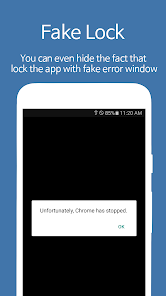
AppLock allows users to customize their experience with features such as personalized themes and fake folders. You can change the fake screen that appears when users try to open a locked app, making it appear as if the app is no longer working. This prevents simple hackers from attempting to log in.
In addition, users can choose from a variety of lock screen designs to suit their style preferences. It also supports random keyboard layouts when entering passwords, and prevents others from guessing passwords based on the fingerprint pattern on the screen.
FAKE HOME SCREEN
AppLock includes a unique fake home screen feature that displays a fake error message when someone tries to open a locked app. This deceptive tactic prevents simple hackers from attempting to log in. For example, a locked app can display a “stuck” message instead of asking for a password.
This feature adds an extra layer of security by hiding locked apps entirely. This is especially effective when users want to keep their privacy private while some apps are locked.