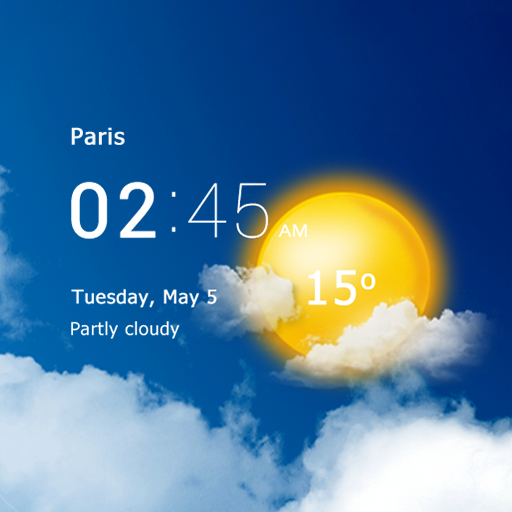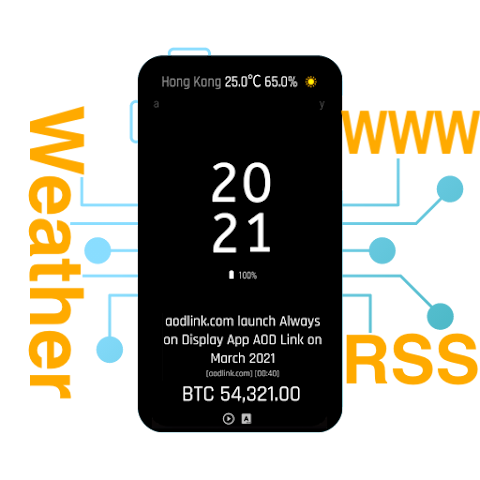


AOD XPath – Always on Display is an Android personalization app that transforms your lock screen and home screen into an information-rich display. It allows users to display customizable clocks, battery details, notifications, weather, calendar events, RSS news, web data, and information from JSON APIs. With flexible layouts, animated effects, custom fonts, widgets, wallpapers, and gesture controls, AOD XPath offers a powerful way to customize how important information appears on your device.
PERSONALIZED “ALWAYS-ON DISPLAY” EXPERIENCE
AOD XPath allows users to create a personalized “always-on” display featuring various clock styles, fonts, colors, backgrounds, and visual effects. You can display the date, time, battery level, charging information, and other useful details directly on the lock screen. Multiple layout options—including horizontal lines, edge views, hybrid designs, and column arrangements—provide flexibility for various screen styles.
- Create custom layouts for the clock and lock screen information.
- Adjust fonts, colors, shadows, and display effects.
- Choose flexible layouts for portrait and landscape modes.
REAL-TIME INFORMATION AND SMART WIDGETS
AOD XPath supports the display of real-time information from multiple sources. Users can view weather forecasts, notification icons, calendar events, music playback details, news feeds, web data, and information from JSON APIs—such as cryptocurrency prices or exchange rates. Additionally, many widgets can be displayed on the home screen for quick access.
- Displays weather, news, notification, and calendar information.
- Displays selected web data and content from JSON APIs.
- Adds supported widgets to the home screen.
CUSTOMIZATION AND ADVANCED CONTROLS
The app offers extensive customization tools, including live wallpapers, photo and video backgrounds, neon and Nixie-style effects, edge lighting for notifications, and music playback controls. Users can adjust brightness via swipe gestures, launch apps using swipe actions, export or import display settings, and manage AOD activation through Quick Settings.
- Uses custom images, videos, and animated display effects.
- Controls brightness and shortcuts via gestures.
- Saves and restores custom AOD configurations.