
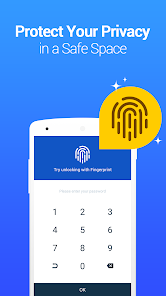


Vault – Hide Pics, App Lock is a privacy app for Android designed to help users keep photos, videos, and specific apps private. It offers password-protected storage for media files, app locking, a private browser, cloud backup, and secure data transfer between compatible devices. Additional features include “stealth mode,” multiple vaults, a fake vault, and alerts for unauthorized access attempts. Through its private content organization and access management tools, Vault provides a convenient way to add privacy protections to daily smartphone use.
PROTECTING PRIVATE PHOTOS AND VIDEOS
Vault helps users separate personal media files from the standard photo gallery by storing selected photos and videos in a password-protected space. Imported content can be viewed or played within the app after entering the correct password. This feature is useful for organizing private memories, personal recordings, and other media files that users do not want visible in the standard gallery. Users should also maintain a separate backup of important files to minimize the risk of accidental data loss.
- Hide selected photos and videos behind a password.
- Access stored media files via the app’s private storage interface.
- Organize personal content separately from the standard gallery.
APP LOCKING AND PRIVATE BROWSING
Vault includes an App Lock feature that allows users to protect specific apps with an additional access barrier. This helps restrict casual access to social media, photo apps, call logs, and other compatible applications when the device is used by someone else. The private browser and private bookmarks offer an additional way to separate specific browsing activities from regular ones. These features provide added convenience for users who occasionally share their phones with others, though they should not be considered a guarantee of total privacy or anonymity.
- Lock compatible apps to restrict casual access.
- Browse websites using the integrated private browser.
- Save selected websites using private bookmarks.
CLOUD BACKUP, “STEALTH” MODE, AND SECURITY FEATURES
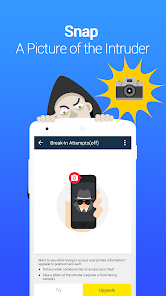
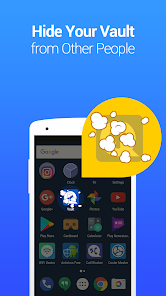
Vault offers cloud backup for compatible content, helping users restore eligible files after switching devices or reinstalling the app. “Stealth” mode can hide the Vault icon from the home screen, while options for multiple vaults and a fake vault provide additional ways to organize private media files. The unauthorized access alert feature can capture a photo following an access attempt with an incorrect password. Users should carefully review backup settings and recovery options before relying on the app to store irreplaceable photos or videos.
- Back up supported photos and videos to the cloud.
- Use stealth mode and the various vault options where available.
- Enable unauthorized access alerts to log failed access attempts.